Visitor Management System – Secure, Automated Visitor Check-In
A Visitor Management System (VMS) is a digital solution that replaces manual paper logs with an automated, secure, and professional visitor check-in process. It streamlines visitor registration, prints badges, notifies hosts, and maintains a complete digital audit trail—transforming the front desk from a bottleneck into a brand asset. eSSL’s VMS has been helping organizations across India simplify visitor handling, strengthen security, and deliver a welcoming arrival experience tailored to modern business needs.
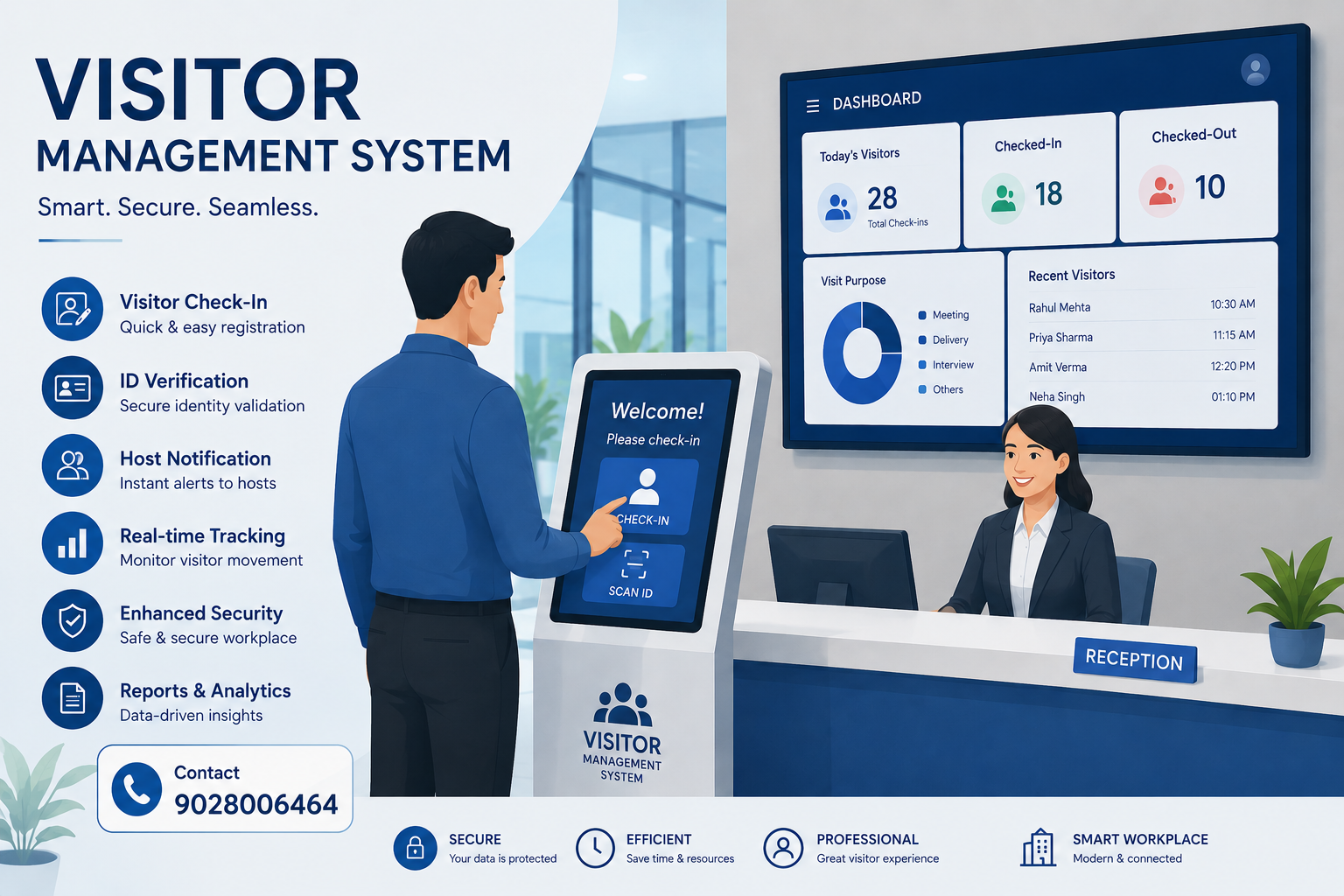
📌 What is a Visitor Management System?
A Visitor Management System (VMS) is a digital platform that automates every step of the visitor journey – from pre‑registration and arrival check‑in to badge printing, host notification, and log-out. Instead of visitors manually filling out a paper logbook, they can:
- 📲 Pre‑register via a web link before arriving at the site.
- ✅ Check in at a self‑service kiosk or tablet by scanning a QR code, presenting their ID, or entering a confirmation number.
- 🖨️ Print a branded visitor badge containing their name, photo, host, purpose of visit, and expiry time.
- 🔔 Automatically notify the host via email or SMS the moment the visitor checks in.
- 🚪 Create a permanent digital visitor log that can be used for compliance audits, emergency response, and historical trend analysis.
eSSL’s VMS is particularly well‑suited for modern, highly‑trafficked environments such as corporate office towers, industrial complexes, IT & tech parks, healthcare facilities, and educational institutions. The system can be configured as a simple tablet app for smaller sites, as a fully‑featured self‑service kiosk with badge printer and document scanner for enterprise Lobbies, or integrated with eSSL’s advanced biometric face recognition panels for touchless identity verification. It is a true end‑to‑end solution designed to improve security, efficiency, and the visitor experience all at once.
⚙️ How a Visitor Management System Works
The host schedules a visit through the VMS web portal and sends the visitor an email invitation containing a unique QR code or registration link. The visitor can pre‑fill details and consent forms from their own device prior to arrival, drastically reducing check‑in time.
At the site entrance, the visitor uses a self‑service kiosk (or tablet). They can scan the emailed QR code, enter their pre‑registration reference number, or present a government‑issued ID which the system captures using an integrated ID scanner.
For higher‑security facilities, the VMS may capture a live selfie and perform facial matching against the pre‑registered photo. It can also screen the visitor‘s name against internal watchlists or denied party lists to stop flagged individuals before they enter.
The system instantly prints a colour‑coded visitor badge with a photo, host details, purpose of visit, and expiry timestamp. For digital‑first workplaces, a QR code on a mobile device can also serve as a temporary credential.
The VMS sends an automatic email or SMS alert to the host notifying them of the visitor‘s arrival. If integrated with access control, the system can also generate tailorable one‑time entry permissions for the visitor.
Every check‑in and check‑out event is stored in a secure, time‑stamped digital log that can be accessed from the administration dashboard. The system records who visited, who they met, when they arrived and departed, and which policies they agreed to.
🔐 8 Compelling Reasons to Deploy a Visitor Management System
Paper sign‑in books are unreliable, slow, and unprofessional. A VMS automates the entire process, eliminates indecipherable handwriting, and prevents visitors from bypassing registration altogether.
With watchlist screening, ID scanning, and optional facial recognition, a VMS ensures that only authorised people step inside your facility. It becomes an active layer of your security perimeter.
Your lobby is a brand touchpoint. A sleek, easy‑to‑use kiosk with customised branding, logos, and visitor passes projects professionalism and competence from the moment a guest arrives.
Self‑service check‑in kiosks free reception staff from repetitive administrative tasks, allowing them to focus on more valuable duties such as hospitality, security monitoring, and visitor guidance.
Never keep a host waiting again. Employees receive an automated SMS or email as soon as the visitor checks in, saving time and improving internal communication and coordination.
Digital logs are searchable by date, time, host, visitor name, or company. This is invaluable for safety regulations (e.g., fire drills), security investigations, and internal compliance audits.
Dashboards provide real‑time visibility of who is currently on site. Over time, you can analyse visitor traffic patterns, peak hours, and movement through your buildings – data that aids security planning and resource allocation.
eSSL VMS works with access control, turnstiles, and alarm systems. Visitors can be issued one‑time access codes or temporary credentials that expire automatically, blending visitor management with physical access control.
📦 Key Modules of a Visitor Management System
Hosts invite visitors via email; visitors provide details and submit signatures for NDAs before arrival. Arrival is then a simple tap, drastically reducing lobby queues.
A wall‑mounted or freestanding touchscreen kiosk in the lobby allows visitors to check in independently. It can be configured to run during business hours or operate 24×7 unattended.
Integrated ID scanners capture data from government‑issued IDs (passport, driver‘s license), auto‑populating registration fields and performing passive ID fraud checks.
eSSL’s AI‑powered face recognition panels (e.g., AI Face Mars) can verify returning visitors, matching their live image against a stored profile – eliminating the need to repeatedly present ID or remember a PIN.
Badges can be printed on‑demand with visitor name, photo, host, date, and company logo. Colour‑coded categories (guest, contractor, VIP, vendor) help staff identify visitors at a glance.
Automatic alerts are triggered when visitors check in, and can be delivered via email, SMS, or integrated workplace apps like Slack and Microsoft Teams.
Security and facilities teams monitor on‑site visitor counts in real time. Historical data provides trend analysis for reports on visitor volume, average visit duration, and peak periods.
The VMS can synchronise temporary access rights to eSSL turnstiles, swing barriers, or door controllers. Visitor access can be restricted to specific floors or zones and revoked automatically at check‑out or after a predefined time window.
🌟 Why eSSL for Visitor Management?
We supply factory‑fresh kiosks, tablets, and integration modules with full manufacturer warranty and compliance with eSSL security standards – no grey market components or unstable third‑party drivers.
eSSL VMS works natively with eSSL facial recognition panels, fingerprint readers, flap barriers, and door controllers. You can build a completely unified ecosystem: one platform for employees, one platform for visitors.
Every organisation is different. The eSSL VMS lets you define custom visitor types, add mandatory fields, choose badge layouts, and set up facility‑specific rules (e.g., safety course for contractors, NDA for consultants).
The VMS is cloud‑ready, meaning you can manage dozens of locations from a single dashboard without on‑premise servers. Add new sites or scale up user licenses as your organisation grows.
Visitor logs can be exported to CSV/Excel and fed into leading ERP, HRMS, and payroll platforms (Spine, GreytHR, HROne, Zoho, Candle, Saral, Oracle). Our experts provide custom API support for advanced workflow integration.
🛠️ Recommended Hardware for Your VMS
A high‑brightness touchscreen for lobby check‑in. Can be configured for unattended operation, with integrated ID scanner and camera for photo capture.
Thermal printer for high‑speed, high‑quality visitor badge printing. Compatible with direct thermal or thermal transfer label rolls.
Optical scanner that reads MRZ (machine readable zone) data from government‑issued IDs, auto‑populating the registration form and reducing manual input errors.
AI‑powered face recognition terminal for touchless identity verification. Repeated visitors can simply look at the terminal to be identified and checked in automatically.
Visitors can read and electronically sign non‑disclosure agreements or safety consent forms on the kiosk screen. The signed document is stored in the VMS log for legal compliance.
Connect the VMS to eSSL turnstiles, swing barriers, or door controllers to automatically grant temporary access to visitors and contractors.