Elevator Access Control System – Secure Every Floor, Every Movement
An elevator access control system is the digital gatekeeper for vertical movement inside a building. It ensures that individuals – after authenticating via fingerprint, face, RFID card, PIN or QR code – can only access the floors they are explicitly authorised to enter. Whether the building contains sensitive research labs, executive offices, hotel guest floors or leased corporate suites, elevator access control transforms the lift from a public utility into a secure extension of your access management strategy.
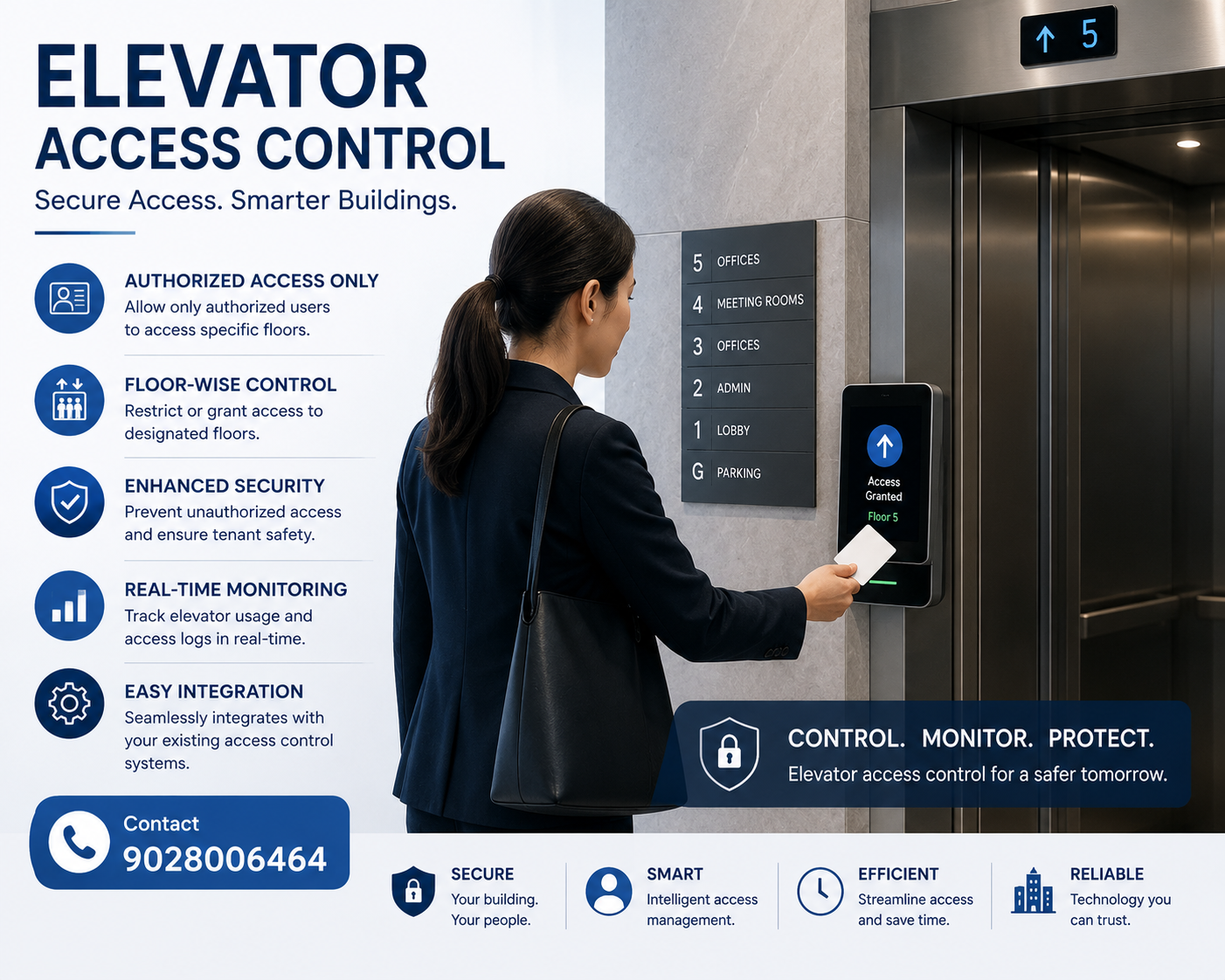
📌 What is an Elevator Access Control System?
An elevator access control system is a dedicated security solution that governs vertical movement inside a building. Unlike traditional door access control, which secures entry points, elevator access control manages which floors a person can reach after they have entered the lift car. The system consists of several core components:
- 📋 Access control panel (controller): The “brain” that stores user credentials, floor permissions, schedules, and audit logs. Typically mounted inside the elevator machinery room or a secure cabinet.
- 🔢 Input device (reader / keypad / biometric scanner): Installed inside the elevator car (or outside for call‑restriction scenarios). Accepts credentials from employees, residents, or visitors before enabling floor buttons.
- 💾 Floor expansion boards (relay outputs): Additional boards that translate the controller‘s decision into electrical signals that “unlock” specific floor buttons inside the car. Scalable from a handful of floors up to 128, depending on the hardware configuration.
When an authorised person presents a valid credential (fingerprint, RFID card, mobile QR code, etc.), the controller temporarily enables the floor buttons they are allowed to press. If the credential is not recognised, the floor buttons remain disabled, and the elevator cannot be used to access restricted levels. The system also logs every access attempt – successful or denied – creating a complete digital audit trail that supports security investigations and regulatory compliance.
⚙️ How an Elevator Access Control System Works
The user (employee, resident, visitor) presents their authentication method – fingerprint, face, RFID card, PIN or QR code – to a reader installed inside the elevator car (or outside for restricted elevator call). All eSSL readers support multiple modalities: fingerprint, password, RFID card, and optionally facial recognition, allowing you to combine or substitute methods as security levels demand.
The access control panel reads the credential‘s unique identifier (card UID, template, or code) and checks it against its onboard database. If the user has been granted floor access, the panel flags the credential as “authorised”.
The controller communicates with floor expansion relays – one dedicated relay per floor. For each floor the user is allowed to visit, the panel momentarily closes the corresponding relay, sending a low‑voltage signal to the elevator‘s native floor‑selection circuit. The desired floor button becomes electrically “unlocked”.
The user presses the now‑active floor button inside the car. The elevator travels to the selected floor, and the access control system logs the movement timestamp, credential used, floor accessed, and the outcome (successful ride).
After the elevator doors close and the ride is complete (or after a configurable timeout), the controller instantly resets the relay state for that user. The next user must re‑authenticate, ensuring that “misusing” an already‑open session is impossible.
The system includes dedicated fire alarm inputs. In the event of an alarm, the controller can be programmed to release all floor restrictions, allowing the elevator to operate freely for evacuation and rescue personnel. This overrides any floor‑specific access controls while maintaining safety compliance.
📦 System Components – Controller, Readers & Expansion Boards
Central brain that processes credentials, stores user floor permissions and event logs, and drives relay outputs. eSSL controllers (EC10 series / EC16 series) support standalone or PC‑linked operation, with capacities ranging from 10 to 128 floors using expansion boards. Onboard memory stores thousands of fingerprint templates and card records.
Installed inside the elevator car or at the lobby call station. Options:
– Fingerprint (optical or capacitive sensors)
– Facial recognition (touchless, hygienic)
– Proximity card (125 kHz EM / 13.56 MHz Mifare)
– PIN keypad
– QR code / mobile credential scanner
– Hybrid devices supporting multiple authentication modes.
Each board adds a specific number of floor relays (e.g., 16 additional floors per board). The main controller connects to one or more expansion boards via RS‑485. Example: one EC10 base unit (10 floors) + three EX16 boards (16 floors each) = up to 58 floors controlled by a single panel. For larger buildings, daisy‑chain multiple controllers.
The system operates on standard low‑voltage DC (12 V or 24 V). Dedicated power supplies are recommended to separate elevator and control electronics. All communication between reader, controller, and expansion relays is encrypted on models supporting OSDP (Open Supervised Device Protocol).
🔀 Types of Elevator Access Control – Choose the Right Model for Your Building
The most common configuration. A reader is mounted inside the elevator car. All users can call the elevator to the ground floor, but once inside, they must authenticate to activate floor buttons. This prevents unauthorised people from reaching restricted floors.
A reader is installed at the elevator lobby or ground floor turnstile. Users authenticate before the elevator is called. The system releases the call button and, in sophisticated setups, automatically pre‑selects the authorised floor without the user touching any button. Ideal for high‑security sites where unauthorised persons should not even stand in the elevator car.
In smart buildings, the access control system integrates with the elevator‘s destination dispatch controller. When a user badges at a lobby terminal, the system reads their authorisation level and assigns a specific car that will only stop at permitted floors. This reduces wait times and improves elevator efficiency.
For high‑security floors (vault, server room), you can require dual authentication: for example, a fingerprint plus a PIN code, or card + password. The controller validates both before enabling the floor button.
🔐 9 Critical Reasons to Implement Elevator Access Control
Without elevator control, anyone who enters the building can freely ride to any floor – visiting restricted areas, confidential departments, or housing units. A well‑designed system effectively blocks this vertical loophole.
Security guards no longer need to monitor lift lobbies or accompany every visitor to their floor. Access rights are enforced automatically, 24 x 7, freeing staff for other duties.
Every elevator journey – who used which floor, at what time, with which credential – is time‑stamped and stored. This log is irreplaceable for incident investigations, insurance audits, and fire safety compliance.
You can schedule access by hour, day, or week. For example, a warehouse floor may be accessible only Monday‑Friday, 6 AM‑10 PM, even if an employee holds a valid card. After‑hours and holiday access can be restricted globally.
An executive has access to floors 14–15; IT has access to floors 6‑8 and the data centre on floor 3; cleaning staff only to floor 1 and the service basement. Elevator access control makes role‑based vertical zoning simple and precise.
Issue temporary credentials (QR codes, mobile passes) with explicit floor restrictions and a precise expiry time (e.g., “3 hours for floor 5 only”). The system automatically revokes access after the window ends, without any manual de‑activation.
Because each user must authenticate individually inside the cabin, the system prevents an unauthorised person from slipping in behind an authorised user. Combined with wide‑angle surveillance, tailgating becomes very difficult.
One software dashboard can control several elevator controllers, even across different buildings. You can assign floor groups, synchronise schedules, and pull logs from all units without visiting each location.
The system connects directly to fire alarm panel inputs. Upon receiving a fire signal, the controller automatically lifts all floor restrictions, ensuring that elevators are available for emergency evacuation and rescue crews – a mandatory requirement in most building codes.
🏢 Where Elevator Access Control Is Most Effective
Segment vertical traffic: keep R&D, executive floors, and data centres separate from general office floors. Integrate with time‑attendance so employee credentials work for both attendance tracking and floor access.
Guests can access only their assigned floor and public areas (lobby, pool, gym). Check‑in and check‑out can be linked to temporary card or mobile credentials, expiring automatically at departure time. Eliminates unauthorised floor‑hopping and increases guest security.
Residents access their own floor, parking level, amenities floor, and nothing else. Visitors are either escorted or given time‑limited mobile passes. No more unannounced visitors roaming common areas or climbing to other residents’ floors.
Staff can reach operating theatres, pharmacy, ICUs, and administrative floors, while visitors are restricted to specific wards and patient floors. Tailor visitor movement based on visiting hours and reduce congestion.
Inventory, tool cribs, server rooms, and executive offices can be secured with floor‑based permissions. Contractors receive temporary time‑and‑floor access that expires automatically after their shift.
High‑security perimeters require multi‑factor authentication and strict time schedules. The full audit trail supports compliance with security directives and post‑incident analysis.
✅ Why eSSL Pune Is the Trusted Elevator Access Partner
We supply factory‑fresh elevator controllers, readers, and expansion boards with full manufacturer warranty and compliance with eSSL security standards – no grey market or uncertified components.
Flexible controller‑expansion board architecture: base unit handles 10–16 floors; each additional expansion board adds another 16‑level range. For very tall buildings, you can cascade multiple controllers, all managed from one software interface.
Fingerprint, face recognition, RFID card (125 kHz / 13.56 MHz), PIN, QR code, mobile pass – choose the method that fits your security culture and hygiene requirements (touchless face / QR preferred for high‑traffic areas).
Our elevator access system can be integrated with eSSL‘s web‑based platform (EzeeHR, eTimeTrackLite). Administrators assign floor permissions, define time schedules, and view real‑time logs without needing to access the lift control room.
The system includes dedicated dry‑contact inputs for fire alarm panels. During an alarm, all floor restrictions are automatically overridden, ensuring elevators operate freely for evacuation and emergency responders. This meets modern building code requirements.
Our APIs and export modules feed elevator event logs into Spine, GreytHR, HROne, Zoho, Candle, Saral, Oracle, and other enterprise platforms. If the elevator is used for attendance (e.g., flooring into a secure workstation), logs can be transmitted directly to your payroll system.